Samsung Official Smart Keyboard Trio 500
0.0
৳5,200.00

1/2
Samsung Official Smart Keyboard Trio 500
SKU: WOO-63542
৳5,200.00
Monthly Installment
EMI starts at ৳172.61/Month
Share:
Description
Samsung Official Smart Keyboard Trio 500
Features:- Pair multiple devices & switch with a click Connect it up with three different devices at once. Enjoy wide compatibility and easy pairing, as a click is all you need to switch between smartphones, tablets, and other devices paired with the Samsung Smart Keyboard Trio 500.A White-colored Samsung Smart Keyboard Trio 500 is on a desk and is connected to a laptop, a tablet, and a smartphone through a bluetooth-icon on the center of the desk. 3 ‘easy switching’ buttons are highlighted on a magnified circle in the bottom right, which helps to switch devices paired with the Samsung Smart Keyboard Trio 500 by using the F7, F8, and F9 keys.Play video * Keyboard input via Bluetooth can be received as long as the connected device is located within the BLE enabled area (about 10m in radius). At the initial connection, however, an easy pairing pop-up is provided to the devices that are located within a radius of about 1m. **Press and hold the Bluetooth paring key (F7, F8, or F9) on your keyboard for at least 3 seconds. Watch for the LED to flash red, green, and blue, then pair.
- Wireless keyboard to-go for when you’re on the go Always be ready to achieve. Compact, slim, and tastefully designed yet packed with special functions for a boosted performance, the wirelessly connectable Samsung Smart Keyboard Trio 500 delivers a comfortable typing experience wherever you are.
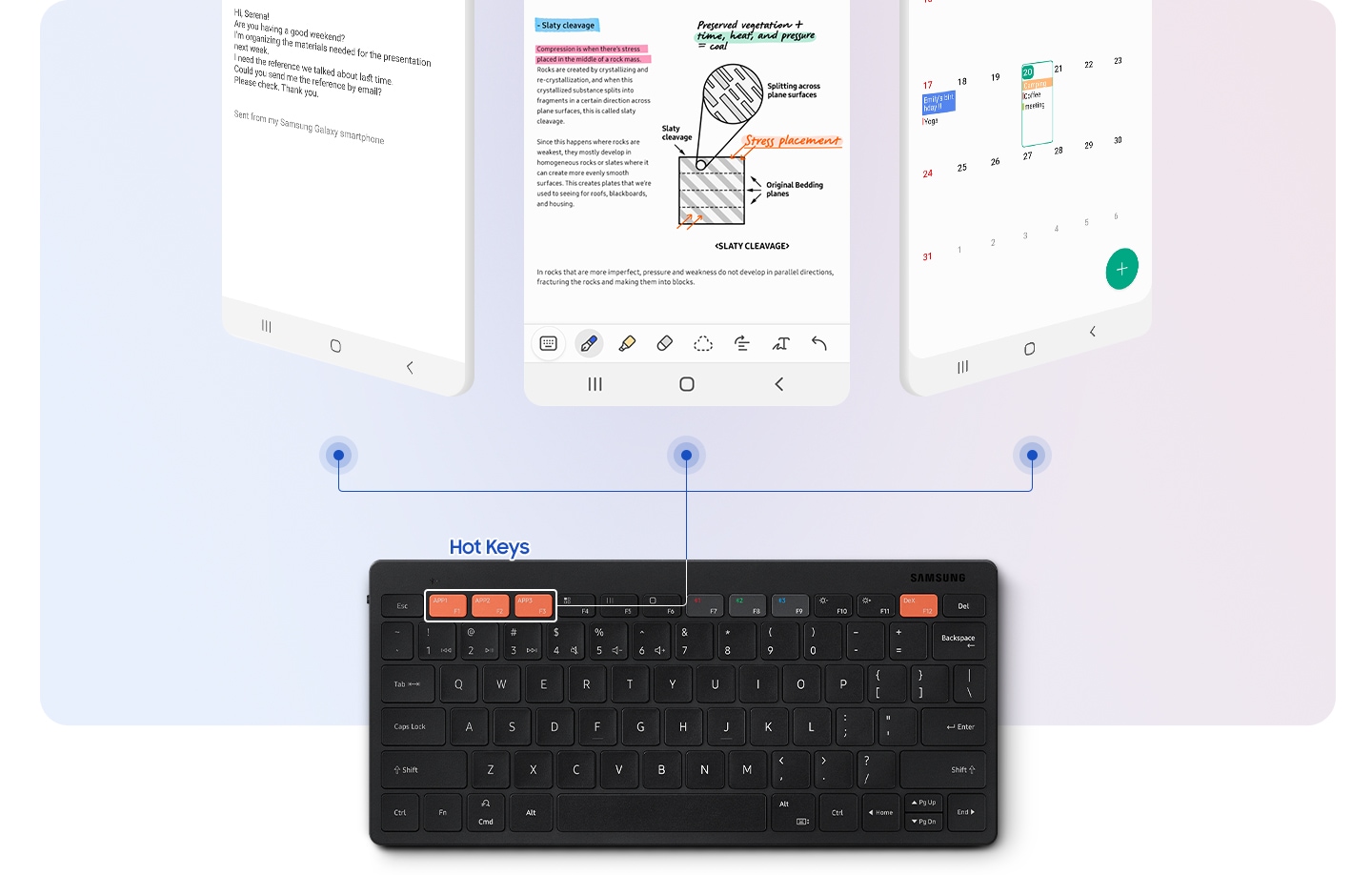
- Assign custom Hot Keys to your favorite apps Have shortcuts to the apps that you use the most, and enjoy one-click access using 3 Hot Keys. Whether it’s your favorite content streaming app or your most frequently used utility app, launching them is always a Hot Key away.
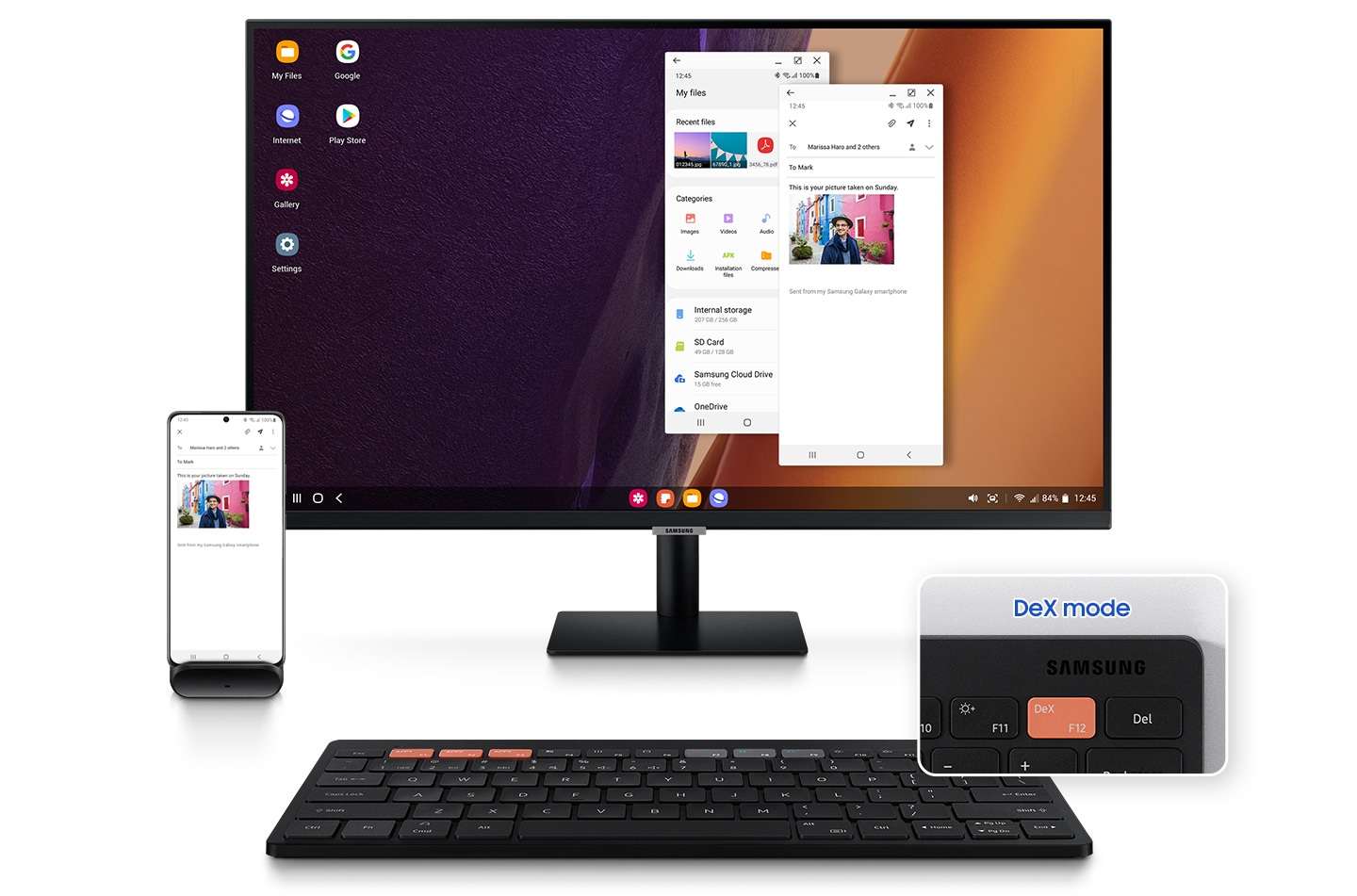
- Enter into DeX for productivity By accessing DeX via the Samsung Smart Keyboard Trio 500, reaching a desktop-like performance and productivity becomes a reality you can manifest from anywhere. Work with multiple windows at once, efficiently respond to messages and emails on one screen, and achieve beyond the boundaries of devices.
- Step 1. Connect via Bluetooth Pairing it with your mobile phone, tablet, or other devices takes just a few simple steps. First, turn the power button on, and long-press the Bluetooth key for instant recognition.
See more products in the Keyboards category.
Shopping help: Warranty Policy, Return & Refund Policy, Shipping Information, Track Your Order.
Why Choose ShopZ?
100% Original Products
All products are genuine and sourced directly from authorized distributors
Fast Nationwide Delivery
Quick delivery across Bangladesh with real-time tracking
Easy Returns
7-day easy return policy for your peace of mind
Warranty Assured
Official warranty on all eligible products
Cash on Delivery
Pay when you receive - no advance payment needed
24/7 Support
Our support team is here to help anytime